 Fujigraphy
A film simulation is how a Fujifilm camera turns sensor data into a picture: saturation, contrast, how skin and skies come out. Shoot the same scene on Velvia and it's punchy. On Classic Chrome it's quiet and hard. Most are named after Fujifilm's own films, and they're built into the camera's processing rather than laid on top, so the result looks like a choice the camera made, not a filter.
They apply to JPEG and HEIF files. A RAW file records which one you picked but doesn't bake it in. More on that in JPEG vs RAW on a Fujifilm camera.
Every simulation at a glance
| Film simulation | What it looks like | Sensor generations |
|---|---|---|
| Provia / Standard | The standard look: balanced colour and contrast. | Every X-Trans body |
| Velvia / Vivid | Vivid: strong saturation and contrast, for landscapes. | Every X-Trans body |
| Astia / Soft | Soft contrast with colour still bright, for portraits. | Every X-Trans body |
| Classic Chrome | Muted colour, firm contrast and deep shadows: the documentary look. | X-Trans V, X-Trans IV, X-Trans III, X-Trans II (not X100S) |
| Pro Neg. Hi | A portrait look with gentle colour and a little more contrast. | Every X-Trans body |
| Pro Neg. Std | The flattest portrait look: soft tones, quiet colour. | Every X-Trans body |
| Classic Negative | Hard contrast and colours that shift with brightness, like a lab print of colour negative film. | X-Trans V, X-Trans IV (not X-T3, X-T30) |
| Nostalgic Neg. | Amber highlights and rich shadows: a warm, printed look. | X-Trans V |
| Eterna / Cinema | Low saturation and soft shadows, made for video. | X-Trans V, X-Trans IV, X-Trans III (X-H1) |
| Eterna Bleach Bypass | Desaturated and contrasty, after skipping the bleach step in film processing. | X-Trans V, X-Trans IV (X-T4, X-S10, X-E4, X-T30 II) |
| Reala Ace | Faithful colour with harder highlights and softer shadows than Provia. | X-Trans V |
| Acros | Black and white with deep blacks and fine detail, with Ye, R and G filter versions. | X-Trans V, X-Trans IV, X-Trans III |
| Monochrome | Plain black and white, with the same filter versions as Acros. | Every X-Trans body |
| Sepia | Brown-toned monochrome. | Every X-Trans body |
Sensor generations come from the camera lists in the app, with current firmware. GFX bodies aren't in the table. Film simulations by camera has the list for each body and its sources.
From simulation to recipe
A simulation is the starting point. A recipe adjusts it with the camera's other image settings: white balance and its shift, highlight and shadow tone, colour, grain, color chrome effect and dynamic range. Two recipes built on Classic Chrome can look nothing alike. The settings that matter most are explained in white balance shift explained and grain and color chrome explained.
Where to start
Shoot a week on one simulation before you change it. Provia and Classic Chrome are forgiving. Velvia soon shows you what it suits and what it doesn't. Then try a recipe built on the one you like from the recipes page, and save it to a custom slot so you can flip between them. Here's how.
The picks
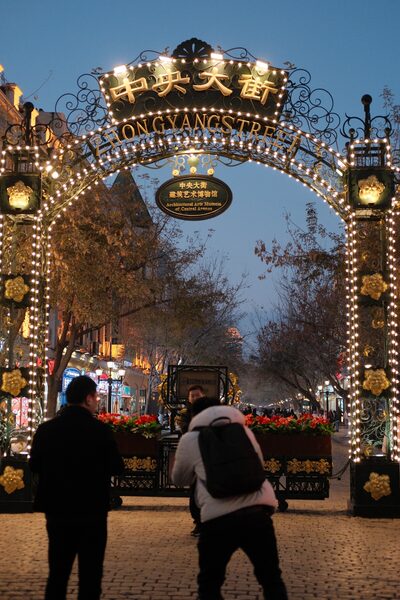
 Reggie’s PortraClassic Chrome
A first recipe to try: Reggie’s Portra
By @keepitklasse. Classic Chrome warmed up a little, with gentle tones and DR Auto, so there is no ISO floor to think about. Built for X-Trans IV, so it runs on most bodies from the X-Pro3 on.
All settings and photos →